CRIS recruitment software
Manage recruitment from application to invoice. Move candidates through the Hiring pipeline, track follow-ups, and see how each job is progressing.
Working Demo and the setup walkthrough require sign-in.
Hiring pipeline
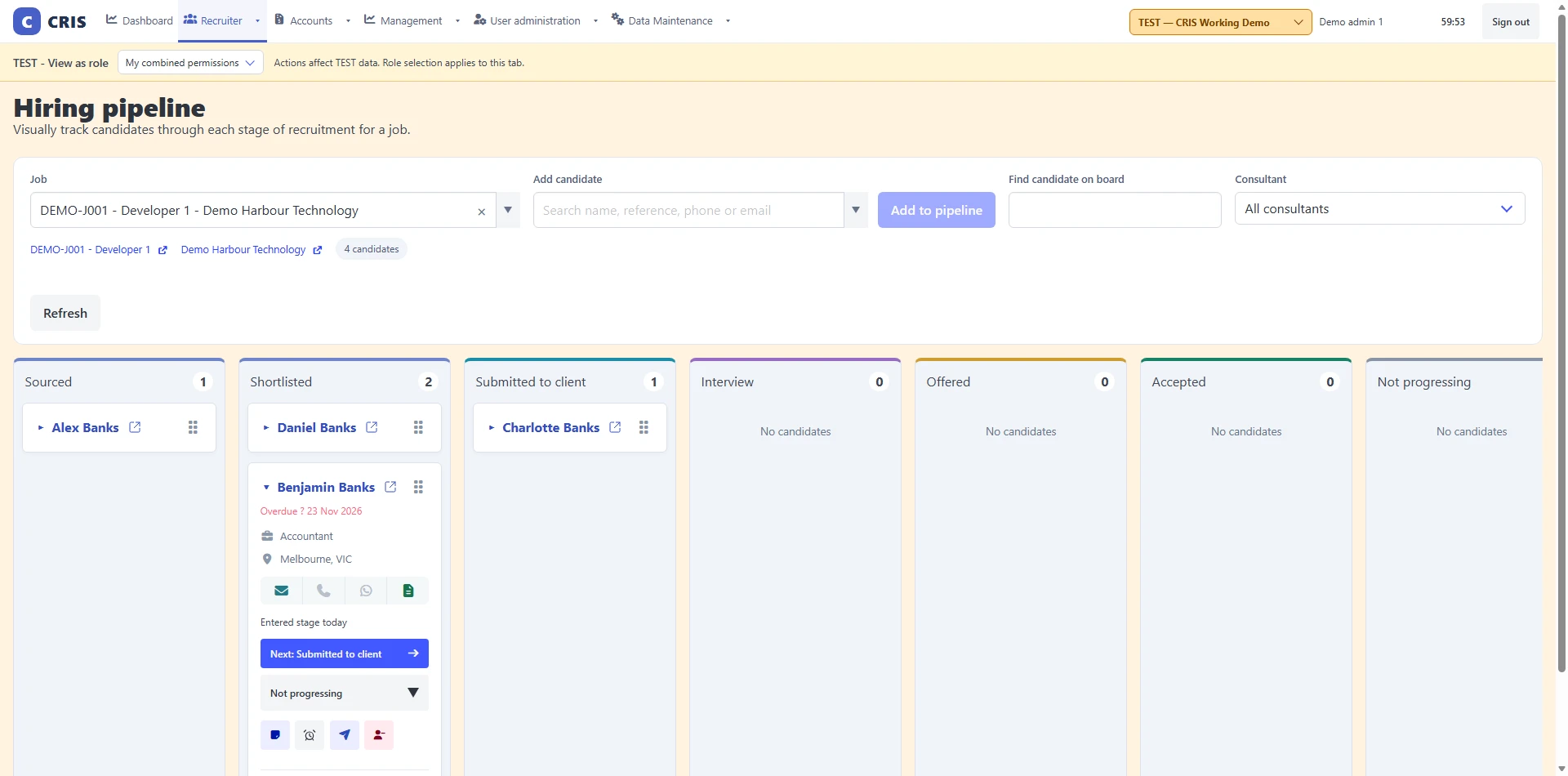
See candidates by stage, move them forward and set follow-up dates directly on their cards.
Follow up and prepare client submissions
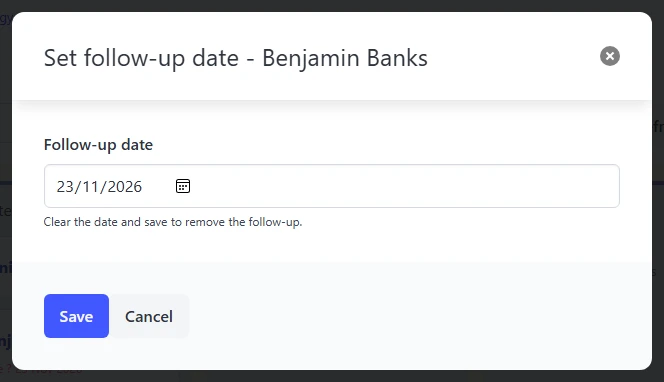
Set a date with the alarm clock on a candidate card. The card shows when the follow-up is due or overdue.
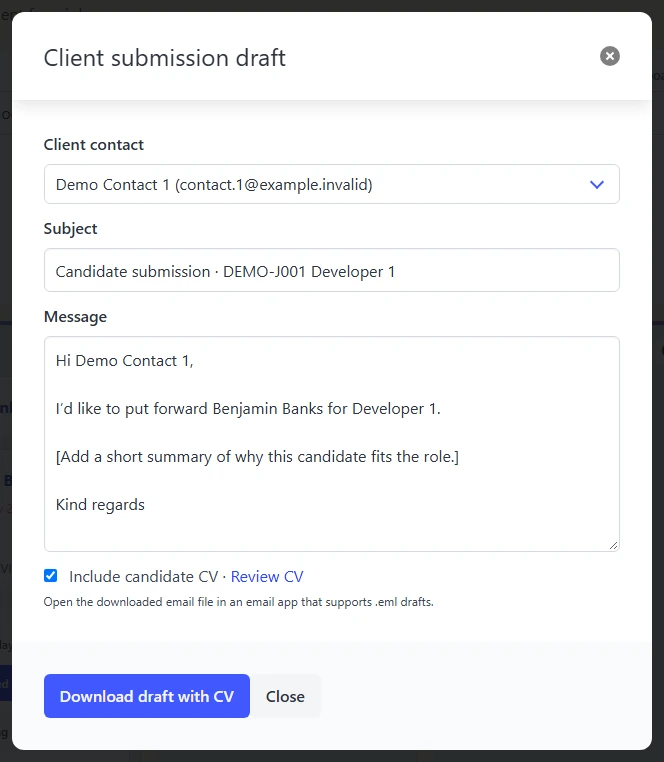
In Working Demo, choose a client contact, edit the candidate summary and download a draft with the sample PDF CV attached.
From vacancy to invoice
Screenshots show the CRIS interface with fictional data. Select any image to view it at full size.
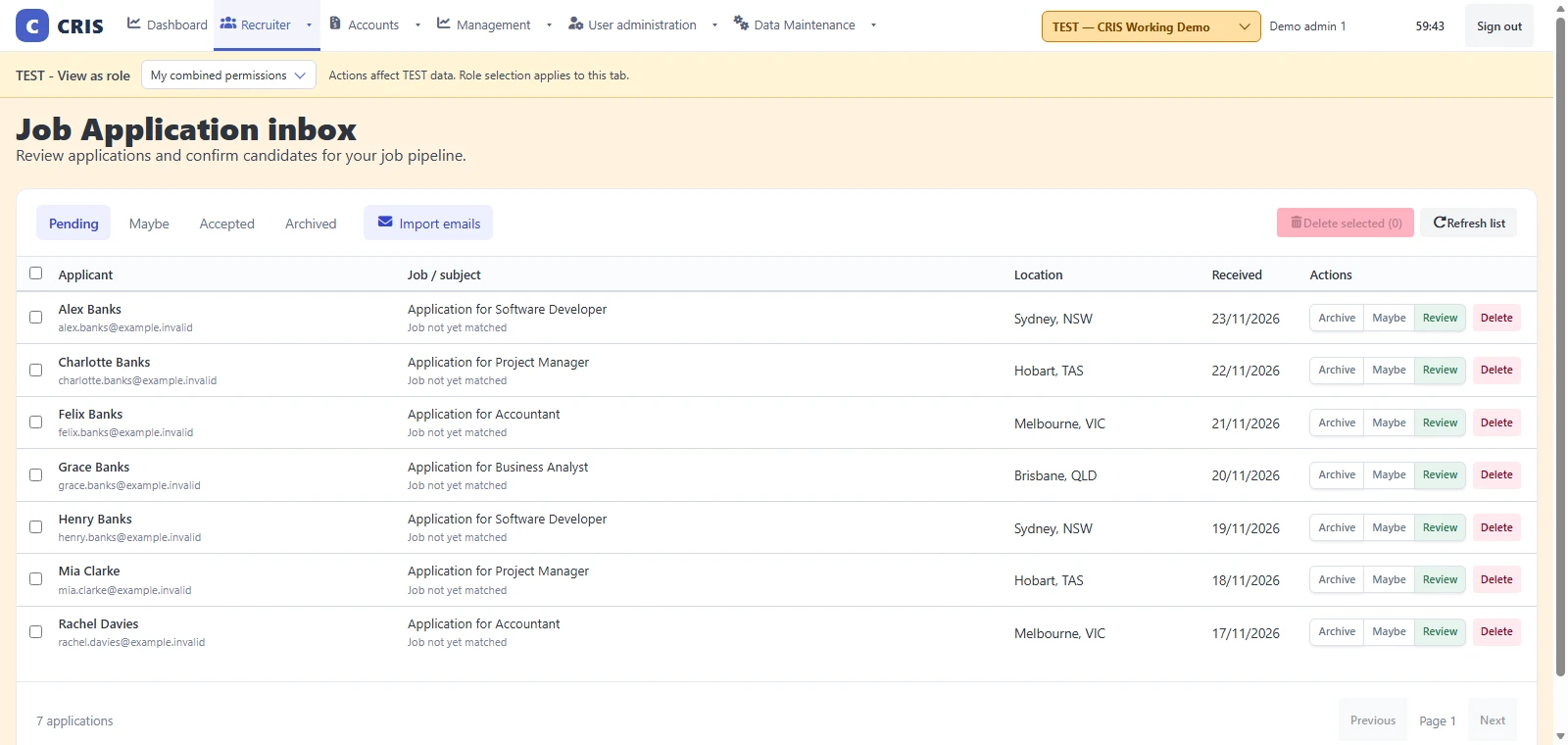
Import application emails, review candidates, and send accepted applications to the Hiring pipeline.

Review recent stage changes and open the relevant Hiring pipeline from the candidate profile.
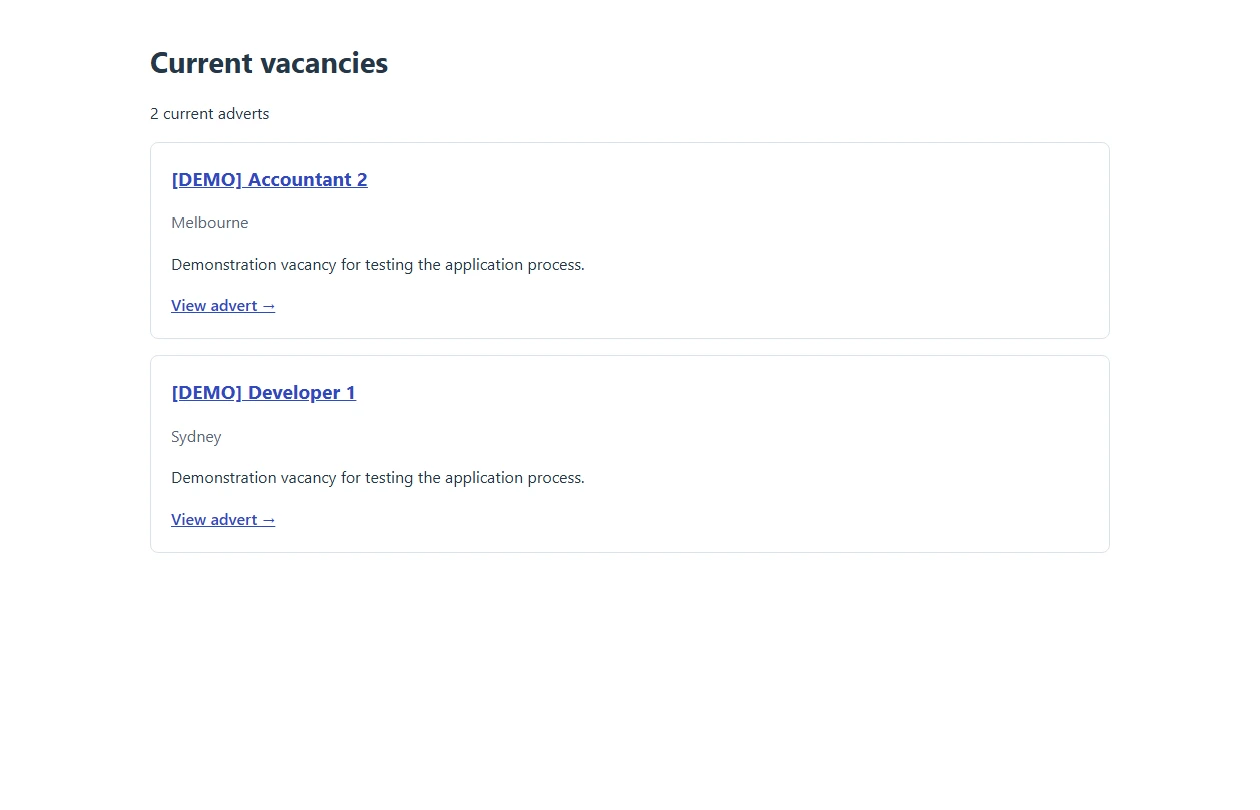
Share a public vacancies page where applicants can open job adverts without signing in.
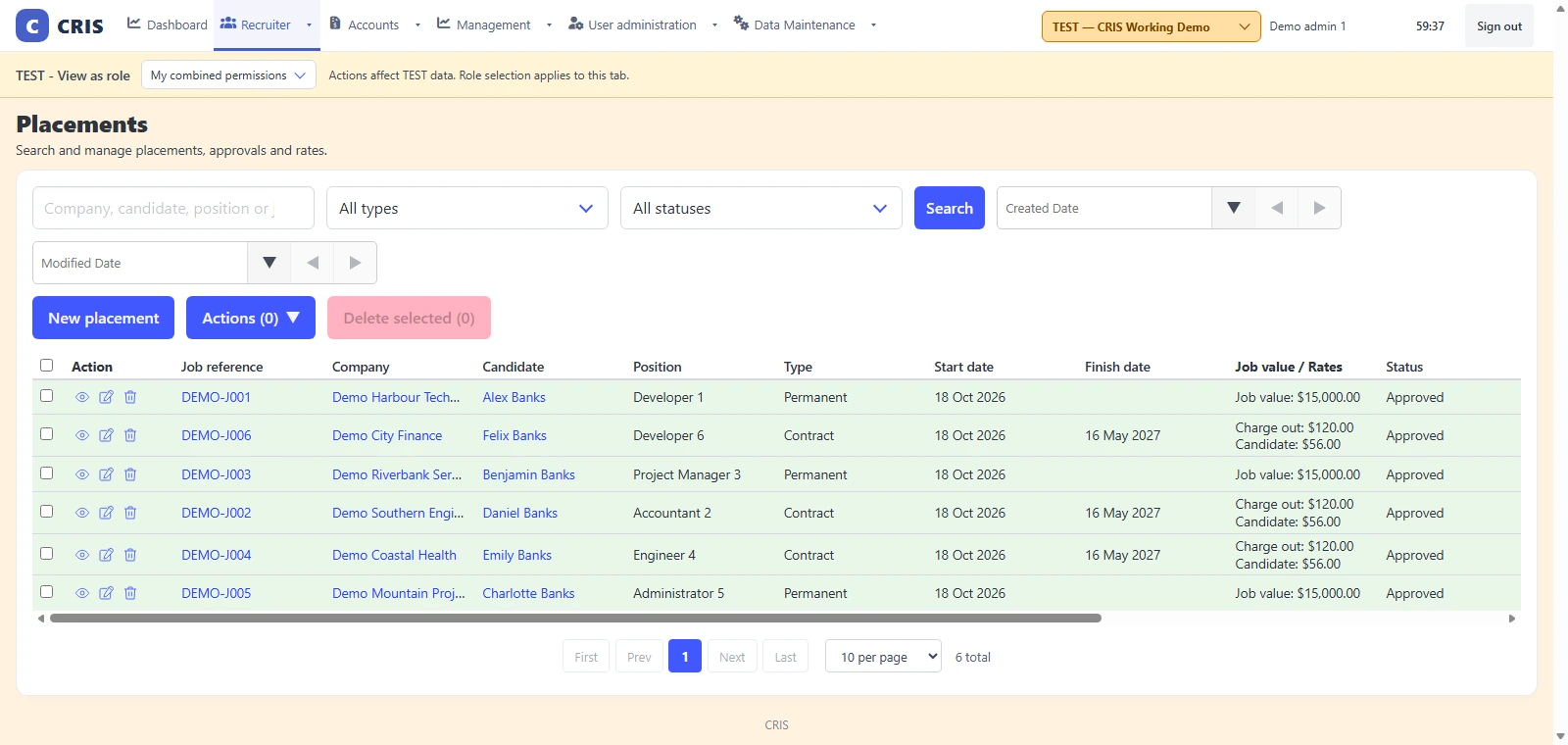
Search and filter placement records, then review rates and approval status.
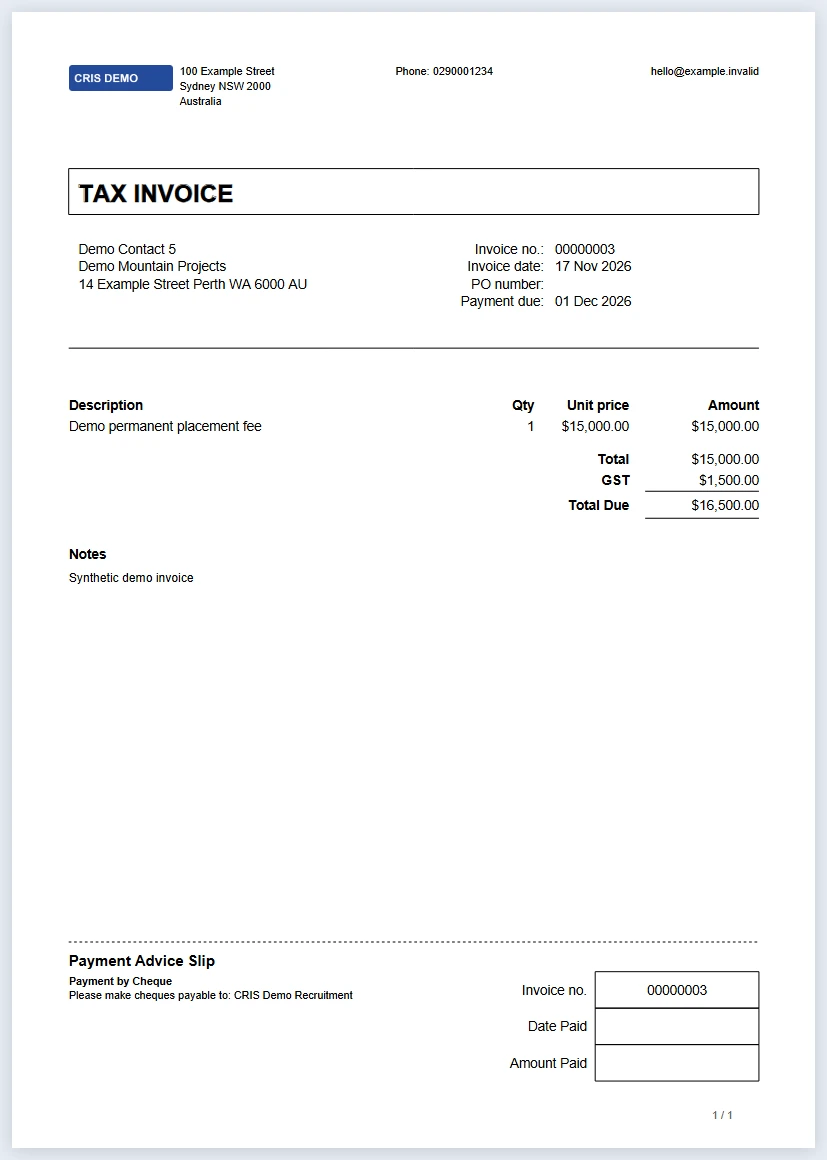
Produce a downloadable invoice with your business details from CRIS.
Management reports
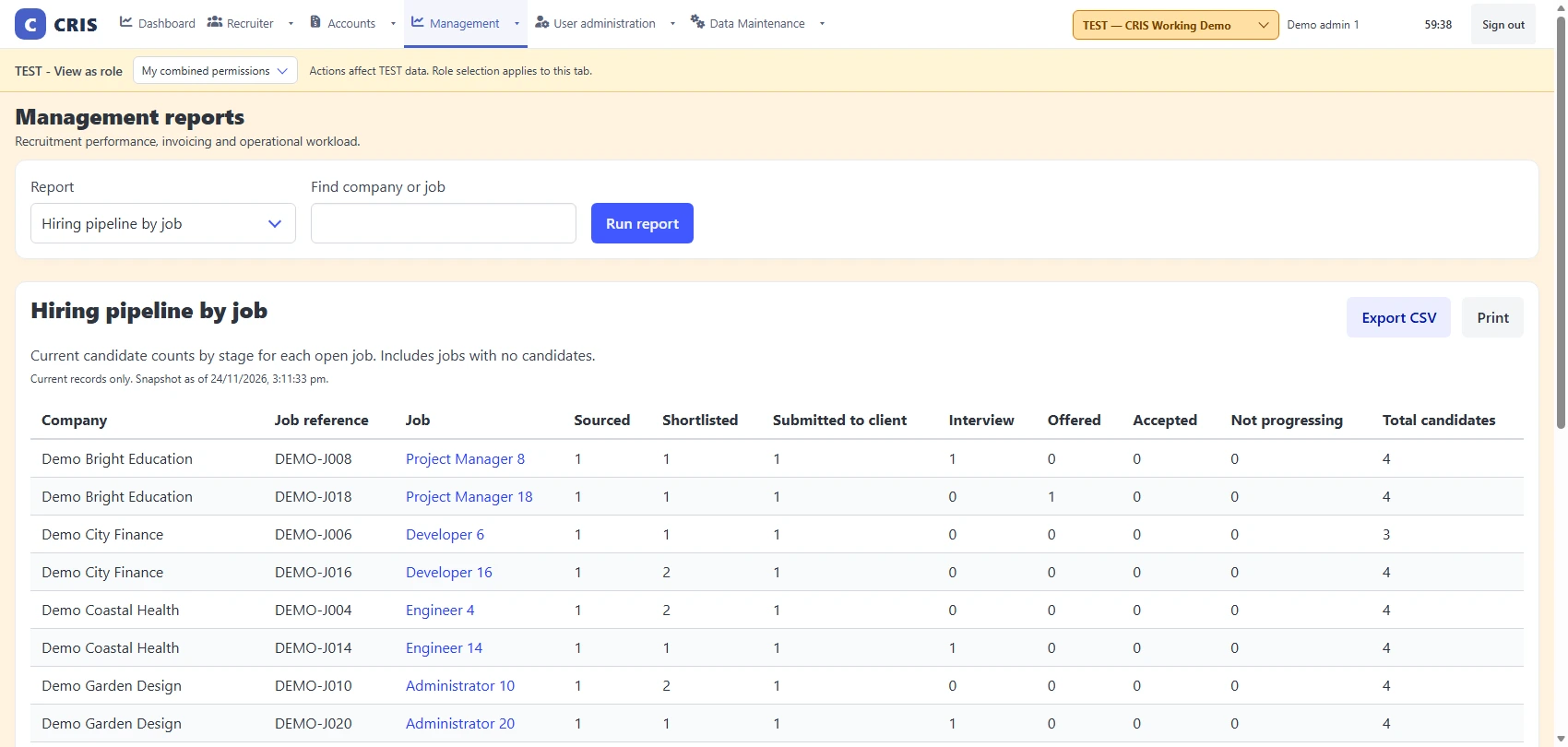
Search by company or job and see how many candidates are at each hiring stage. Open a job’s board from the report.
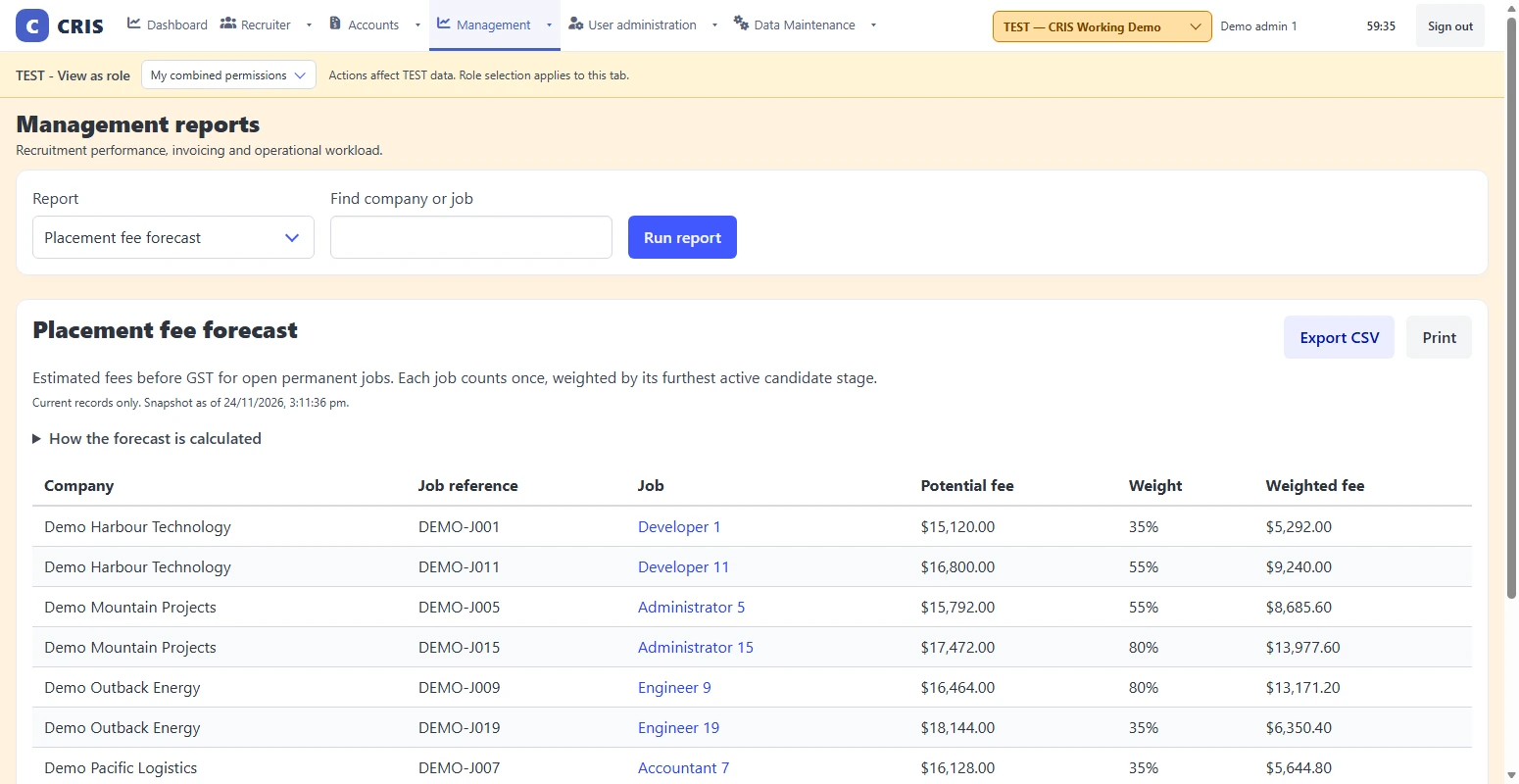
See potential and weighted fees for open permanent jobs. The estimate uses each job’s furthest active candidate stage and excludes GST.
From SmartAgent to CRIS
CRIS began in 2001 as SmartAgent, a desktop application for applicant tracking, client and job management, timesheets, payroll, invoicing, and reporting. It later moved to the cloud as the Cloud Recruitment Information System.
See how CRIS fits your recruitment process
Ask us about demo access or talk through your team’s workflow.